


Phone Call App & WiFi Call Any
4.24.29K Reviews
App Specs
- Version
- 1.5.5
- Updated On
- License
- Free
- Downloads
- 1,000,000+
- Developer
- Clear Phone Call & Global WiFi Calling
- Categories
- Communication
- Platform
- Android
Screenshots
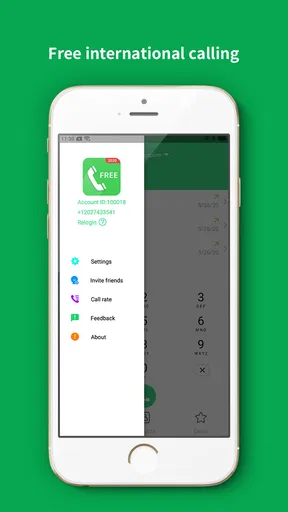
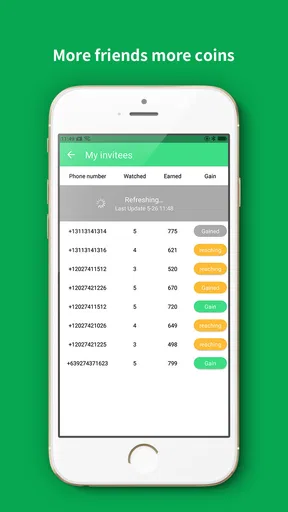
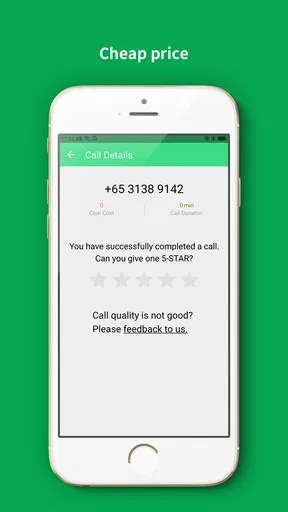
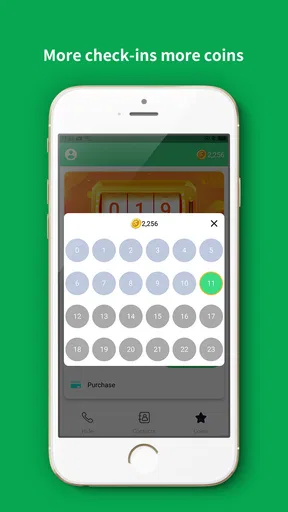
 Analysis by AppCompare
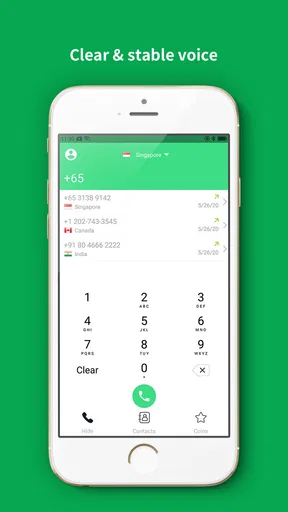
When a phone is shared around a household, making a call is not always as simple as opening the usual dialer. One person may need an internet-based call, another may be trying to avoid using a mobile plan, and someone else may only have access to a spare device. I tested Phone Call App & WiFi Call Any with that kind of situation in mind, and I found it most useful as an extra communication option rather than a complete replacement for the phone app already installed on a device.
This is a free communication app from Clear Phone Call & Global WiFi Calling. It focuses on voice calling through an internet connection, with the main appeal being the possibility of making calls over Wi-Fi or mobile data. The app is available for Everyone, supports devices running Android 9 or later, and includes optional purchases priced from $0.99 to $9.99 per item. That combination makes it easy to try, but it also means a household should understand where the free experience ends before relying on it for every call.
My overall impression is fairly positive. The app has a clear purpose, the interface is easier to approach than many technical VoIP tools, and its 4.2 average from around 39 thousand ratings suggests that plenty of people find it useful. At the same time, internet calling is only as dependable as the connection behind it. A strong Wi-Fi signal can make the experience comfortable, while a crowded network or unstable mobile connection can quickly turn a conversation into a frustrating exercise.
How it fits into a shared household phone
The most convincing use case is a home with a spare Android phone or a device that is used by more than one person. Imagine a family keeping an older handset in the kitchen. One person uses it to contact a relative, another borrows it for a quick call while their main phone is charging, and a child may need to reach a parent from the house. In that setting, an internet calling app can give the device a practical second life instead of leaving it unused in a drawer.
I would not treat the app as an automatic household phone, though. A shared device needs clear expectations. Everyone should know which account or calling identity is active, who is allowed to use the app, and whether any purchase option is available to the person holding the phone. The app itself is a calling tool; it should not be mistaken for a family-management system.
That distinction matters because convenience and privacy are separate issues. A shared handset can make communication easier, but call history, contacts, notifications, and any sign-in details may be visible to the next user depending on how the device is configured. Before handing it to several people, I would review the phone’s own user profiles, screen lock, notification display, and contact access. Those are household setup decisions rather than features I would assume the app provides.
The app’s scale is also worth noting. It has passed one million installs and carries roughly 4.3 thousand written reviews, so it is not an obscure experiment with no visible user base. That does not guarantee perfect call quality in every home, but it does make the application feel established enough to test on a spare device without treating it as an unknown utility.
Worth Reading Before You Choose

EA SPORTS FC Mobile 26 Is a Bigger Football Game, but It Takes Time

Flipboard Shows What News Apps Must Do Beyond the Feed

Switching to Android Auto Means Rethinking Your Driving Routine

Google Calendar Makes a Crowded Week Easier to Manage

Ludo King Makes the Most of the Minutes Between Plans

Baby Panda World Brings Quick Play to Modern Phones, but Its Game Library Feels Busy
What the first setup feels like
On a personal phone, I would begin with a simple test call rather than moving all communication into the app immediately. The first goal is to confirm that the device can connect reliably from the rooms where it will actually be used. A call that works beside the router may behave differently upstairs, in a garage, or in a crowded apartment building where several networks overlap.
For a shared handset, I would also decide in advance whether it is a dedicated calling device or a general-purpose phone. A dedicated setup is easier to keep tidy: fewer personal conversations, fewer accidental changes, and less confusion about whose contacts are being used. If several people need it, a written household rule such as “check the active account before calling” may sound overly cautious, but it prevents the kind of small mix-up that can become awkward later.
Phone Call App & WiFi Call Any runs as version 1.5.5, and its minimum operating system is Android 9. That is helpful for households with reasonably recent older phones, although very old hardware may still struggle with battery health, microphones, speakers, or background behavior even when the operating system meets the requirement. In my view, the device’s physical condition can matter just as much as compatibility.
One practical tip is to test both ends of a conversation. Make a short call from the shared phone to the person who will receive calls most often, then reverse the direction if the workflow requires it. This reveals whether the household problem is really calling access or simply poor audio hardware on the spare phone. It also gives everyone a chance to learn the screen before an urgent conversation is needed.
Keeping household coordination simple
The app becomes more useful when it is assigned a specific role. For example, a family could reserve the shared handset for contacting relatives, coordinating pickups, or reaching a parent while the primary phones are unavailable. That is more manageable than letting everyone use it for every kind of communication without a plan.
I especially like the idea of pairing the app with a visible charging location. If the device always returns to the same shelf, people know where to find it and where to put it back. This is not an app feature, but it solves a real part of the shared-device problem. Internet calling is only valuable if the phone is charged, connected, and available when someone needs it.
Another useful habit is to agree on when Wi-Fi calling is appropriate and when a normal cellular call is better. If the home internet is busy with video streaming, gaming, backups, or a large download, call quality may suffer. For an informal conversation that may be acceptable. For a time-sensitive call, a conventional mobile connection or another established communication service could be the safer choice.
This is where the app differs from a standard dialer. The built-in phone app is usually the natural choice for dependable carrier calling, emergency access, and a phone number already understood by contacts. Phone Call App & WiFi Call Any is more attractive when internet access is the reason for choosing it in the first place. I see it as a complementary route: useful when Wi-Fi or data access is central, less compelling when a reliable mobile plan already solves the problem.
Boundaries around accounts and purchases
Shared devices deserve extra attention around account boundaries. I would avoid casually mixing several people’s personal details on one handset. If the app asks for information during setup, the person responsible for the device should understand whose details are being used and whether other household members can see them. A clean, dedicated profile is easier to manage than an improvised arrangement that changes every week.
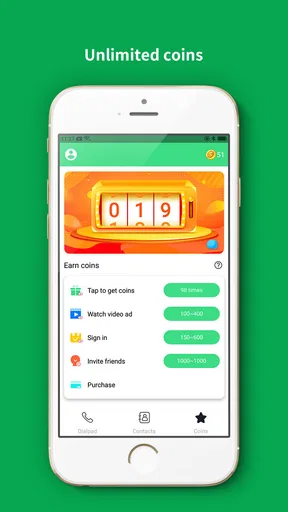
The free download lowers the barrier to testing, but optional in-app purchases change the conversation for families. The available items range from $0.99 to $9.99 each, so I would not let a child or guest explore purchase screens without supervision. The safest approach is to configure the device’s purchase protections at the operating-system level and decide who, if anyone, is authorized to spend money.
This is also a good reason not to judge the app only by its free installation. A household should test the actual calling routine it needs before paying for anything. If the free experience already handles occasional calls, there may be no reason to buy an optional item. If a particular calling need requires more, the person managing the device should make that decision deliberately rather than approving a purchase during a rushed moment.
I would also separate the question of “can we make a call?” from “should this person have unrestricted access to the device?” The app can help with the first question, but it does not replace household rules, supervision, or the phone’s own privacy settings. That boundary is especially important when the same device is shared by adults and children.
Age, trust, and realistic supervision
The Everyone content rating makes the app approachable for a broad audience, but a general age label is not the same thing as a complete family-safety plan. A child may be perfectly capable of placing a call while still needing guidance about who to contact, when to use the device, and how to avoid accidental purchases. Those decisions belong to the adults responsible for the phone.
For younger users, I would keep the shared handset in a known location and teach a small number of clear actions: unlock the device, open the calling app, choose the intended contact, check the connection, and end the call. A short practice conversation with a parent or relative can expose confusing buttons before the child needs help. It also gives the child confidence without pretending that the app itself provides supervision.
Trust works both ways. Adults sharing the device should agree on whether call history is private, whether contacts may be added, and whether the phone can leave the house. These are not technical details to discover after a disagreement. They are simple rules that make an internet-calling app fit more comfortably into a shared routine.
I would be cautious about using it as the sole communication method for someone who may need dependable access at all times. Wi-Fi can fail, the router can be unplugged, the phone can be out of battery, and mobile data can be unavailable. For an older relative, a child traveling independently, or anyone dealing with a time-critical situation, keeping a conventional calling option available is sensible.
Audio quality, connection limits, and everyday reliability
The app’s appeal rests on high-quality VoIP calling, but “high quality” should be understood as a goal rather than a guarantee. A stable connection can produce a pleasant conversation, while congestion introduces delay, dropouts, or robotic audio. I would judge it from the exact location and network where the household plans to use it, not from a single successful call beside the router.
There is a useful troubleshooting order when a call sounds poor. First, move closer to the access point and pause other heavy internet activity. Next, check whether the problem affects one device or both ends of the call. Then try again at a different time. This helps distinguish a local Wi-Fi issue from a broader problem with the recipient’s connection or phone.
Headphones can be helpful in a busy home, especially when several people are nearby. They reduce echo and keep a private conversation from becoming a room-wide broadcast. On the other hand, a shared device should not depend on a single person’s wireless accessory, so I would keep the built-in speaker and microphone tested as well.
Battery behavior is another overlooked trade-off. A spare phone used for internet calls still needs to maintain Wi-Fi, wake for notifications, and run the calling app. If the battery is old, the household may mistakenly blame the app when the real issue is a handset that cannot stay powered through the day. Keeping it on a safe charging station solves more problems than repeatedly reinstalling the application.
Where it beats the usual alternatives
Compared with a traditional carrier dialer, this app is more relevant when the household wants internet-based calling or has a device whose main calling arrangement is limited. It can make a Wi-Fi-connected spare phone feel more useful and can give a family another route for voice conversations. The trade-off is that it depends more heavily on connectivity and setup discipline.
Compared with messaging apps that include voice calls, Phone Call App & WiFi Call Any is more focused on the phone-call experience. That can be easier for someone who does not want to navigate group chats, message threads, or a social feed before starting a conversation. Messaging platforms may be better for families already organized around text, photos, and group coordination, while this app makes more sense when the central need is simply speaking.
Compared with dedicated VoIP services, it appears less intimidating for casual household use. A specialist service may offer deeper account management or business-oriented controls, but that additional complexity is not always helpful on a kitchen phone. I would choose this app for a straightforward trial, not for a company phone system or a carefully managed communications department.
The deciding question is therefore not whether it is universally better than every alternative. It is whether internet calling solves a specific problem in the home. If the answer is yes, the free entry point makes testing reasonable. If the household already has dependable carrier calls and everyone prefers a familiar messaging service, adding another calling app may create more confusion than value.
Who should use it and who should skip it
I would recommend trying it for a family with a spare Android device, a reliable Wi-Fi network, and a clear need for occasional voice calls. It also suits someone who wants to experiment with internet calling without committing immediately to a complicated communication platform. The app’s straightforward purpose is its strongest quality.
I would be more hesitant for a household that expects flawless service during internet outages, needs advanced administrative controls, or wants one shared phone to serve many unrelated personal accounts. In those cases, a carrier line, a better-established family communication arrangement, or separate user profiles may be more appropriate.
I would also skip it if the intended device is too old in practice, even if it meets the Android requirement. Weak speakers, a damaged charging port, or an unreliable Wi-Fi radio can make any calling app disappointing. Testing the actual handset is more valuable than assuming compatibility from the operating system alone.
My household verdict
After using Phone Call App & WiFi Call Any as an internet-calling option, I see it as a practical add-on for the right home rather than a universal phone replacement. It can give a shared or spare device a clear purpose, especially when Wi-Fi access is dependable and the family agrees on who uses the phone and how purchases are handled.
Its limitations are equally clear: connection quality varies, shared accounts need care, and the app does not remove the need for ordinary household supervision. I would keep another calling route available for urgent situations and would test the app in the rooms where it will actually be used.
My recommendation is to treat it as a controlled household tool, not an all-purpose safety net. For occasional calls, relatives, a charging-station phone, or a backup communication routine, it is worth trying. For users who need guaranteed availability, detailed family controls, or the simplicity of an existing carrier dialer, the familiar alternative is likely the better fit.
The developer, Clear Phone Call & Global WiFi Calling, has kept the idea focused, and the app’s broad adoption shows that the concept resonates with many users. I would install it when the household problem is specifically internet-based voice calling. I would not install it merely because another communication app sounds useful; without a defined role, it risks becoming one more icon on a shared phone that nobody fully understands.
Pros
- Works over Wi‑Fi
- helping reduce mobile call charges.
- Simple interface makes placing internet calls quick and easy.
- Useful when cellular coverage is weak but Wi‑Fi is available.
- Can be convenient for travelers using hotel or public Wi‑Fi.
- Supports calling without relying entirely on a mobile network.
Cons
- Call quality depends heavily on Wi‑Fi speed and network stability.
- May consume noticeable battery during longer calls.
- Some features or destinations may require in-app purchases.
- Public Wi‑Fi can create privacy and security concerns.
- The recipient may need compatible service or access for some calls.
FAQs for Phone Call App & WiFi Call Any
What is Phone Call App & WiFi Call Any, and how does it work?
Phone Call App & WiFi Call Any is designed to let users make voice calls through an internet connection instead of relying entirely on a traditional mobile network. After installing the app, you generally create or configure an account, allow microphone and contact permissions, and select a person to call. Call quality depends heavily on your Wi-Fi or mobile data speed, network stability, and the recipient’s compatibility with the service.
Can I make calls without a SIM card or mobile phone credit?
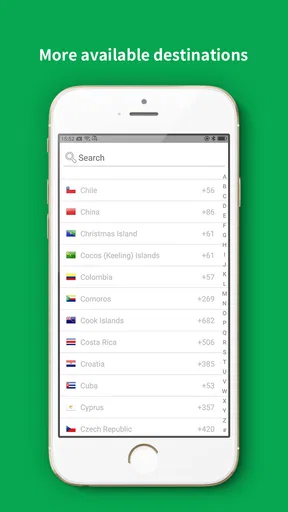
The app may allow internet-based calling without using conventional cellular minutes, which can be useful when you are connected to Wi-Fi or have mobile data available. However, this does not necessarily mean every call is completely free. Certain destinations, premium features, advertisements, credits, subscriptions, or verification requirements may apply. Check the app’s current pricing information and calling rules before depending on it for regular or international communication.
Does Phone Call App & WiFi Call Any provide a real phone number?
Whether the application provides a dedicated phone number depends on its current features, your location, and the account plan you choose. Some internet calling apps offer virtual numbers, while others only support calls between registered users or route calls through paid services. Before downloading, review the number availability, supported countries, caller ID behavior, verification process, and any recurring charges associated with receiving or making calls.
What permissions and personal information does the app require?
A calling application commonly requests access to the microphone so you can speak during calls, notifications for incoming calls, and sometimes contacts to help you find people already using the service. It may also process account details, device information, call-related data, and network information. Review the permission prompts and privacy policy carefully, and deny access that is not necessary for the features you intend to use.
Is the call quality reliable, and can I use the app for emergency calls?
Call quality can be clear when both sides have a strong, stable internet connection, but it may suffer from delay, echo, dropped calls, or distorted audio on congested networks. Performance can also vary by country and device. Most internet calling apps should not be treated as a replacement for emergency services, because they may not provide accurate location data or connect to local emergency operators. Keep a standard calling option available for urgent situations.


